


My customer had a common problem that was once solved in Outlook 2007.
By default, when a user has full access to a shared mailbox and permission to send as the shared mailbox sends a message from their default profile with the shared mailbox in the from field, the message is placed in the sent items in the user's mailbox.
With Outlook 2007 SP2 (not sure if this dates back to SP1 or RTM, but I know it works in SP2) a registry value could be set to change this behavior and place the sent message in the sent items of the shared mailbox. HKCU\Software\Microsoft\Office\12.0\Outlook\Preferences\DelegateSentItemsStyle DWORD:1
I tried this with Outlook 2010, replacing the 12.0 with 14.0 in the registry key, but it did not solve the problem. When researching the issue, a forum reply indicated the Hotfix KB2459115, http://support.microsoft.com/kb/2459115, but after reading the detailed description of the hotfix, I didn't think it would fix the issue, as no where in the description of the hotfix was this problem documented.
After seemingly running out of possible solutions, I turned to the Exchange Microsoft Certified Master distribution list where someone replied indicating that KB 2459115 would fix the issue. This being the second source citing that hotfix, I figured it was worth putting in the lab. My control test worked as expected, both messages sent in the user's profile one from the user, and one from the shared mailbox ended up in the user's mailbox sent items. After applying the KB2459115 hotfix, and adding the registry setting DelegateSentItemsStyle with a DWORD value of 1 to HKCU\Software\Microsoft\Office\14.0\Outlook\Preferences\ sending in the user's profile from the shared mailbox resulted in the message ending up in the sent items of the shared mailbox.
Problem solved! Well, mostly. As this setting is not publicly documented by Microsoft as a feature of Outlook 2010 it isn't likely a supported feature. Hopefully Microsoft will come out with an official technet or support article on this feature.
Monday, March 07, 2011
Tuesday, February 01, 2011
MCM & Disney Princesses

Today's topic in Microsoft Certified Master for Exchange 2010 was Unified Messaging. Basically, configuring Exchange Server to handle voice mail and automated attendant functions. To do that, of course, you need telephones. Well, specifically, we were given a high end laptop with Windows Server 2008 R2 with Hyper-V for an Exchange Virtual machine, and Audiologic analog to voice over IP gateway, and two analog phones, some of which included pink phones with Disney princesses, and red Cars phones with Lightning McQueen. Zoe & Aidan would be so jealous :)
Sunday, January 30, 2011
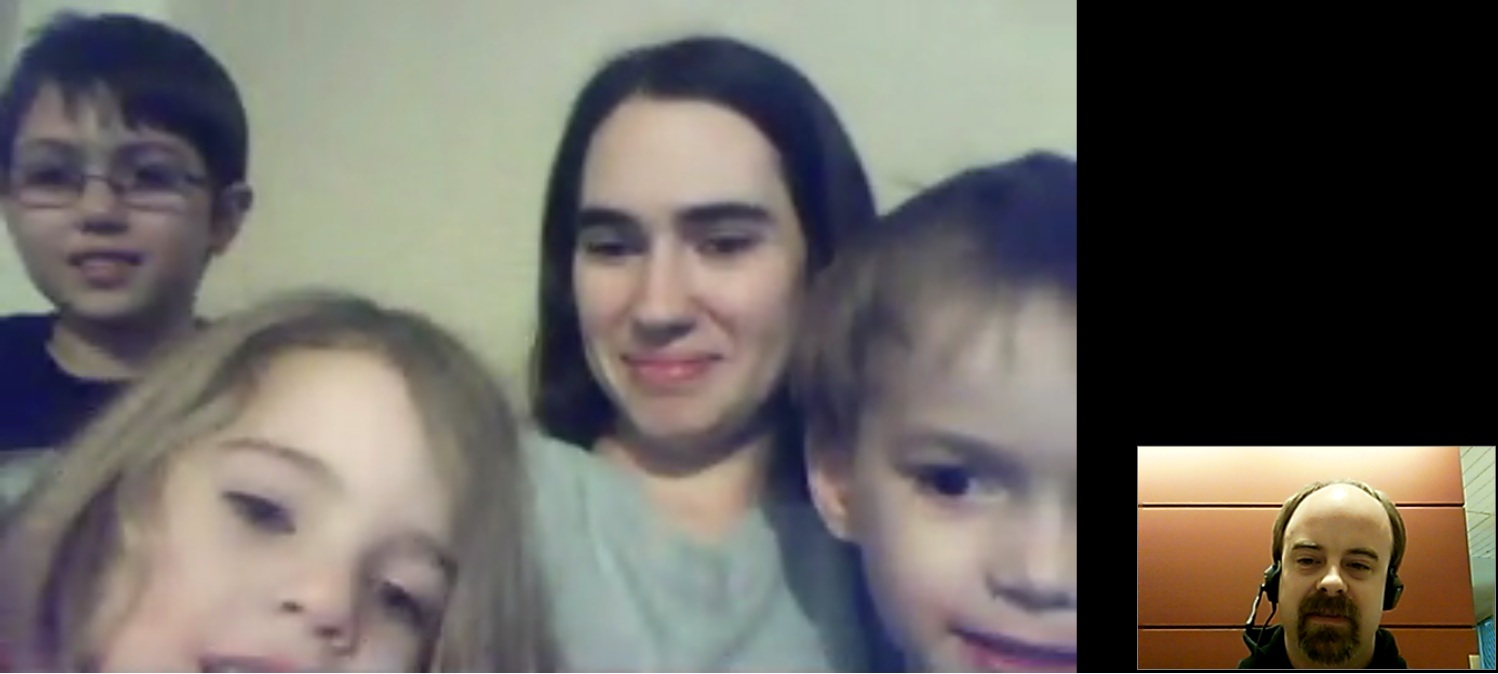
Google Talk Video Chat with Amy & Children
While I would prefer to use Microsoft's Lync (Office Communicator) client, it isn't really practical for personal use, so Google Talk it is, even when I'm actually in Microsoft Building 40 out here in Redmond, using Microsoft's guest wireless, and there is a Lync Microsoft Certified Master class going on in the classroom next to me :).

Friday, January 21, 2011
Human SMTP Server in Microsoft Certified Master training
This was an exercise that I really enjoyed. Our instructor setup a listener on port 25 that would allow you to type SMTP commands as if we were the server. Keep in mind that we are in a room full of the top percent of e-mail system architects and engineers. So we all know the SMTP commands that the client sends, and well, the server is somewhat forgiving of typos. But since servers don't make typos, well, the client will just drop. Volunteers? Anyone, Anyone? After a while, I decided to give it a go. I was pretty sure I knew what I was doing, so I got up there and started typing.
I type: 220
Client: ehlo contoso.com
I type: 250
Client: mail from: user@contoso.com
I type: 250
Client: rcpt to:user@fabrikam.com
I type: 250
Client: DATA
I type: 250
Client: !!crickets!! it was gone, obviously 250 wasn't the right response to the DATA command. Incidentally, it is 354. The good news is that I was close, I knew that when I was done sending data it would have looked for another 250, and it always ends with 221 after the QUIT command is issued.
It took the class a few tries to get it right, but it was a lot of fun, with the purpose of making sure we really are familiar not only with what the client is sending, but what the server is sending too, because when you are tracing a protocol log, it helps to just know it.
Thursday, January 13, 2011
Powershell VCards (text file splitting)
I ran into a problem today that I figured I'd share. The exported addressbook format for GroupWise wouldn't work with Outlook, even though it supported the VCard format, the GroupWise client exported the entire address book in a signle .VCF file, which Outlook didn't support.
While not a good solution, I decided to split up the .VCF file with a script and make multiple .VCF files that could be imported to Outlook.
The biggest problem I had was with the out-file, my first runs generated .VCF files that looked valid, but Outlook would not read them. After a little searching I learned that out-file by default used Unicode format, and Outlook needed them to be ASCII. hence the -Encoding "ASCII" in the script.
While not a good solution, I decided to split up the .VCF file with a script and make multiple .VCF files that could be imported to Outlook.
clear-host
$ifile = $args[0]

If($ifile -eq $NULL)
{
 Write-Host Usage: .\vcfrw.ps1 filename.vcf
 Write-Host Examp: .\vcfrw.ps1 h:\vcf\joe.vcf
 Exit
}

Write-Host Prossessing GroupWise VCard File: $ifile

$i = 1
switch -regex -file $ifile
{
   "^BEGIN:VCARD"   {if($FString){$FString | out-file -Encoding "ASCII" _
"$ifile.$i.vcf"};$FString = $_;$i++}
   "^(?!BEGIN:VCARD)" {$FString += "`r`n$_"}
}

Write-Host VCard Processing Complete
Write-Host Processed $i VCard entries
The biggest problem I had was with the out-file, my first runs generated .VCF files that looked valid, but Outlook would not read them. After a little searching I learned that out-file by default used Unicode format, and Outlook needed them to be ASCII. hence the -Encoding "ASCII" in the script.
Thursday, December 30, 2010
Windows Server 2008 R2 on an HP Proliant DL380 G5
Here is a long story about the problems I encountered trying to build a quick lab environment at the office. For a little background, back in the days of Compaq Proliant servers and the early days following the HP merger, I knew this hardware pretty well. But anything after the G2 era, my focus was not on the server hardware, but on the applications and storage.
I pulled two HP Proliant DL380 G5 servers out of the storage room, installed eight gigs of memory and filled the drive bays with a mix of 72 and 146 gigabyte drives. Except for the minimal ram, they seemed like they would make fine lab servers.
I popped in a trusty Windows Server 2008 R2 DVD and let the install begin, and walked away. I returned to what seemed like a minor glitch, an error message that read "The computer restarted unexpectedly or encountered an unexpected error. Windows instlation cannot proceed. To install Windows, click "OK" to restart the computer, and then restart the installation"

What seemed minor was not so, a simple reboot didn't fix it, and I got the same error when trying to install on the other server, but this time I didn't walk away during the instillation, I watched, and realized that I had a bigger problem, the dreaded blue screen of death.

BUGCODE_USB_DRIVER
Stop: 0x000000FE (0x0000000000000008, 0x0000000000000006, 0x0000000000000006, 0xFFFFFA8006ffa000)
A bigger problem, yes, but it seemed simple enough, as these issues are normally just a driver problem and I figured that installing with the HP Proliant SmartStart CD would do the trick. I didn't have one handy, so I downloaded the latest version, 8.6, from HP's web site. Unfortunately, a whole new problem emerged as the SmartStart installer could not detect the HP SmartArray P400 controller and no drives were available for installation. Easy, I thought, I'll just try the previous version of SmartStart, 8.5, but that didn't work either. I decided to try one more version of SmartStart, the earliest version that supported Windows Server 2008 R2, which was 8.3, which successfully recognized the controller and let me continue with the installation. Unfortunately, the outcome was the same as my previous attempts with just the Windows DVD, a blue screen failure during setup.
Thinking back to the day when I worked with server hardware more regularly, I figured I should update the BIOS, Firmware, etc. as I knew they were quite out of date. The DL380 G5 was at BIOS Version P56 with a date of 11/8/2006 and the SmartArray controller was at version 1.18.
I thought that HP had released bootable CDs that you could use to update your firmware components, but I wasn't able to find it in my time frame, so I did the next best thing, downloaded the 32 bit edition of the SmartStart CD, keeping with the 8.3 version that recognized the array controller before. I installed Windows Server 2003. Windows Server 2003 installed just fine and I was able to use that as the base operating system for installing all the firmware updates the server needed.
Once the hardware had been updated, I returned to the 64 bit HP SmartStart 8.6 CD to install Windows Server 2008 R2. As I expected, the 8.6 CD recognized the array controller, and I was able to install Windows Server 2008 R2 without a hitch. Finally, I can do what I had planned to do during this slow week between Christmas and the new year.
I don't miss this, but I'm glad I had the past experience to call upon.
Old Firmware:
BIOS Version P56 11/8/2006
HP Smart Array P400 v 1.18
HP NC-Series Broadcom NIC v1.9.6
Disk Drives HPD9
Disk Drives HPD5
New Firmware:
BIOS Version P56 04/26/2010
HP Smart Array P400 v 7.22
HP NC-Series Broadcom NIC v2.1.5.9
Disk Drives HPDA
Disk Drives HPDD(C)
I pulled two HP Proliant DL380 G5 servers out of the storage room, installed eight gigs of memory and filled the drive bays with a mix of 72 and 146 gigabyte drives. Except for the minimal ram, they seemed like they would make fine lab servers.
I popped in a trusty Windows Server 2008 R2 DVD and let the install begin, and walked away. I returned to what seemed like a minor glitch, an error message that read "The computer restarted unexpectedly or encountered an unexpected error. Windows instlation cannot proceed. To install Windows, click "OK" to restart the computer, and then restart the installation"
What seemed minor was not so, a simple reboot didn't fix it, and I got the same error when trying to install on the other server, but this time I didn't walk away during the instillation, I watched, and realized that I had a bigger problem, the dreaded blue screen of death.
BUGCODE_USB_DRIVER
Stop: 0x000000FE (0x0000000000000008, 0x0000000000000006, 0x0000000000000006, 0xFFFFFA8006ffa000)
A bigger problem, yes, but it seemed simple enough, as these issues are normally just a driver problem and I figured that installing with the HP Proliant SmartStart CD would do the trick. I didn't have one handy, so I downloaded the latest version, 8.6, from HP's web site. Unfortunately, a whole new problem emerged as the SmartStart installer could not detect the HP SmartArray P400 controller and no drives were available for installation. Easy, I thought, I'll just try the previous version of SmartStart, 8.5, but that didn't work either. I decided to try one more version of SmartStart, the earliest version that supported Windows Server 2008 R2, which was 8.3, which successfully recognized the controller and let me continue with the installation. Unfortunately, the outcome was the same as my previous attempts with just the Windows DVD, a blue screen failure during setup.
Thinking back to the day when I worked with server hardware more regularly, I figured I should update the BIOS, Firmware, etc. as I knew they were quite out of date. The DL380 G5 was at BIOS Version P56 with a date of 11/8/2006 and the SmartArray controller was at version 1.18.
I thought that HP had released bootable CDs that you could use to update your firmware components, but I wasn't able to find it in my time frame, so I did the next best thing, downloaded the 32 bit edition of the SmartStart CD, keeping with the 8.3 version that recognized the array controller before. I installed Windows Server 2003. Windows Server 2003 installed just fine and I was able to use that as the base operating system for installing all the firmware updates the server needed.
Once the hardware had been updated, I returned to the 64 bit HP SmartStart 8.6 CD to install Windows Server 2008 R2. As I expected, the 8.6 CD recognized the array controller, and I was able to install Windows Server 2008 R2 without a hitch. Finally, I can do what I had planned to do during this slow week between Christmas and the new year.
I don't miss this, but I'm glad I had the past experience to call upon.
Old Firmware:
BIOS Version P56 11/8/2006
HP Smart Array P400 v 1.18
HP NC-Series Broadcom NIC v1.9.6
Disk Drives HPD9
Disk Drives HPD5
New Firmware:
BIOS Version P56 04/26/2010
HP Smart Array P400 v 7.22
HP NC-Series Broadcom NIC v2.1.5.9
Disk Drives HPDA
Disk Drives HPDD(C)
Saturday, September 04, 2010
Scout Popcorn 2010
Last year Alex sold about $2800 in popcorn, and wow, it sure was a lot of work. We still have popcorn from last year that we can't deliver, people moved, incorrect address recorded for the sale, etc. Since it was our first year selling any sort of fund raiser, I learned a lot of lessons, of which one is to be sure that you get all the information on the order form and double check it :).
The $2500 goal we set last year was specifically to earn the scholarship and to get a free week (well, for Alex, weekend) at camp. A free week at camp would be a big plus this summer, especially since he will be old enough for a week long resident camp, which will be more expensive than last year.
Alex's online orders can be placed here:
http://www.trails-end.com/estore/scouts/email_referral.jsp?id=3228729
Be sure it says supporting Scout Alexander D. in the green box near the upper right. If it doesn't, click change and enter the Scout ID 3228729
Now, to find time to work on some video sales messages :)
Sunday, June 20, 2010
Freecycling my car!
Its an old car that served me well, but the repairs are too much for me to do myself and too expensive for me to pay someone to do it. I would take it on the occasional local trip before I took the tags off of it, but it only has 2nd gear forward, so I couldn't take it very far, plan to have it towed to wherever you want it. It is an old car, but the right person could probably get it fixed up or make some good money on the parts that still work.
I'm the original owner, and I have the original title and loan release.
Here are some pictures for your reference


I'd like it gone by the end of the month! If you are interested, please e-mail me.
I'm the original owner, and I have the original title and loan release.
Here are some pictures for your reference
I'd like it gone by the end of the month! If you are interested, please e-mail me.
Monday, May 10, 2010
Microsoft’s many uses of the word “Virtual”
From Mike Crowley's Blog: I often refer to this when explaining to others the differences between Microsoft virtualization products.
It’s really amazing how many smart people are misusing the various product names of Microsoft’s virtualization technologies. I blame this partly on Microsoft’s lack of effort to clarify, but also the topics are just confusing. Here I just wanted to provide a short list of Microsoft’s “virtualization” technologies and a description in easy to understand language.
Presentation Virtualization
This is a fancy name for Terminal Services, which is now called Remote Desktop Services in Server 2008 R2.
Official site: microsoft.com/rds
Hardware Virtualization
Products include, Virtual PC, Virtual Server and Hyper-V. These technologies allow a complete computer operating system to run within another operating system.
Official site: microsoft.com/hyperv
Now the confusing ones:
Virtual Desktop Infrastructure (VDI)
Use of abovementioned RDS combined with abovementioned Hyper-V. In Server 2008 and earlier Microsoft VDI wasn’t an actual product. It was a licensing scheme that allows use of these technologies:
· Hyper-V for hosting your desktops
· System Center Virtual Machine Manager for managing your VMs
· System Center Operations Manager for monitoring everything
· System Center Configuration Manager for building and managing your desktop images
· The Microsoft Desktop Optimization Pack so you can use App-V to virtualize your applications
· All the Remote Desktop infrastructure components, like RS Web Access, RD Session Broker, RD Gateway, etc.
In Server 2008 R2, the licensing still applies, but there is now a “Server Role: Role Service” called “Remote Desktop Virtualization Host”. This role also adds the Hyper-V role and should not be virtualized, as it is to be considered a virtualization host itself.
Using the RD Virtualization Host role, you can create pools of virtual windows desktops (such as Windows 7) for users to access over Remote Desktop Services. The use of Hyper-V allows for many computers to reside within a single server, but it also can employ snapshots to automatically revert a PC back to its administrator-defined state when a user logs off.
To connect to this magical environment, you can use another computer with the Remote Desktop Client (yes even MAC), or you can use a thin terminal sych as a Wyse WinTerm.
IMO: This is what most people mean when they say “we want to virtualize our desktops”
There are 3 videos that cover this in just the right amount of detail here:
1. http://edge.technet.com/Media/Microsoft-VDI-Part-I-Server-Side-Configuration
2. http://edge.technet.com/Media/Microsoft-VDI-Part-II-Virtual-Desktop-Configuration
3. http://edge.technet.com/Media/Microsoft-VDI-Part-III-Client-Side-Experiences
Official site: microsoft.com/vdi
Microsoft Enterprise Desktop Virtualization (MED-V)
MED-V is the most confused in this list. While it sounds like this is a product that allows you to do what I just described in the above VDI section; this is actually far from the truth.
MED-V addresses the issue of application to operating system incompatibility. However before you walk down the MED-V road, you should realize that applications that don’t seem to be compatible with the operating system may actually be “fixed” with ACF. I’m not going to get into ACF here, but you can read about it here: Application Compatibility Factory (ACF) Program
MED-V used to be called “Virtualization Player” before Microsoft bought Kidaro, the parent company. MED-V allows a given workstation to run a modern operating system such as Windows Vista or Windows 7 while also running otherwise incompatible applications on Windows XP which is hidden in the background.
This is accomplished by first installing Virtual PC on the workstation, and then the MED-V client. When a user access an application that the administrator configures to run from the XP environment, it is seamlessly merged into their Windows Vista/7 experience without knowledge of a full XP installation running in the background.
If you are familiar with Windows 7’s “XP Mode” you have a head start into this concept. XP Mode is a derivative of MED-V. The “E” in MED-V stands for enterprise, so of course this means the environment can be controlled in a way that is suitable for large environments. This is done by centralizing the images used for the background environments, and controlling their level of interaction with client computers who run the client.
In addition to incompatible applications there could also be incompatible websites. An example here would be when a user types http://oldsite IE6 is called to access the URL when all other applications would run from IE7 or 8. Applications and URLs that are defined as incompatible are configured within the MED-V management application.
MED-V requires better hardware for workstations that run it; however it does not require virtualization support from the CPU architecture like Hyper-V does.
This software is only available through the MDOP (Microsoft Desktop Optimization Pack) offering via Software Assurance.
Official site: microsoft.com/medv
Microsoft Application Virtualization (App-V)
This product was purchased from Softricity who named it SoftGrid. It has since been renamed to App-V 4.6
App-V, like MED-v is an MDOP offering that deals with application incompatibility. The difference is that MED-V addresses application to operating system incompatibilities, whereas App-V solves application to other application incompatibility issues.
Java for example can only exist once on a computer. If a user requires an older AND a current version of Java, they cannot run them both from the same computer. App-V changes this rule.
App-V creates a sort of “bubble” for an application to reside within. The bubble itself interacts with the operating system but not with other bubbles. This allows us to put Java v.old and Java v.new into separate “bubbles” and then run them both on the same computer. At the same time if desired.
This bubble means the application is never “installed” onto the computer.
Another cool thing about App-V is its ability to stream these bubbles to the client. App-V uses RTSP to send the application to the client. App-V is Microsoft’s “application streaming” technology. The advantage of streaming an app is that the computer is able to run the app while all the program bits are being sent over the wire as necessary.
With App-V all application processing and workload is done on the client. I mention this because many people believe the “stream” or the streaming server somehow assists the workstation. This is not true. If you run an application within App-V you need the same hardware you would need without App-V. This also means an app that is incompatible on Windows 7 will remain incompatible with Windows 7 even if packaged via App-V. Remember, this is MED-V’s job.
Official site: microsoft.com/appv
I hope this helps you in your future discussions with customers or at least your own personal understanding of Microsoft’s Virtualization offering!
Sunday, April 18, 2010
Constitutional Surprise
Robin posted on facebook that she had an assignment in her American government class to write a 750 word essay explaining what you find to be the most surprising aspect of the United States Constitution. Since this is one of my most favorite subjects, I figured I'd do one for myself. Starting with deciding that I'd have a hard time choosing which aspect of the constitution is the most surprising, but that I'd use a topic that I'd recently studied.
I think a very surprising aspect of the Constitution of the United States of America is that it doesn't deal with the aspect of secession. While today, this doesn't mean much to your average Joe, in the mid to late eighteen hundreds, this was a big deal. Was this subject left unwritten for a reason, do the flies on the wall of the Philadelphia Constitutional Convention in 1787 know if there was debate on this very subject? With my limited resources, I wasn't able to find record of such debate in the time leading up to that convention.
Supreme Court decisions in the late eighteen hundreds, examples: United States v. Cathcart, 25 F. Cas. 344, 348 (C.C.S.D. Ohio 1864) (No. 14,756) & White v. Hart, 80 U.S. 13 Wall. 646 646 (1871), conclude that states may not secede. Citing the preamble, and specifically the phrase "… in order to form a more perfect union …". Since the United States of America as we know it existed under the Articles of Confederation before the constitution we live by today was ratified, was this the union that they wanted to make “more perfect”? Reaching back to Article XIII from the Articles of Confederation, specifically the phrase “... and the Union shall be perpetual ...” we find a very powerful statement. Why wasn't this language included in today's Constitution? Did the founding fathers intend for states to be able to secede or was it assumed that the more perfect union would also be perpetual?
We know today that the consequence of this ambiguity was the Civil War. I happen to think that the perpetual union is what was intended by the founding fathers, and that a little clarity on this issue would have prevented the Civil War. But what if I'm wrong (which I'm not, but hypothetically), and that the perpetual union was never intended, where would we be today?
I know it isn't 750 words, but hey, I'm not being graded and I'm short on time!
Friday, March 26, 2010
Microsoft Product Names
- Windows
- Office
- System Center
- Forefront
Microsoft Office
- Microsoft Office, you know, Word, Excel, PowerPoint, etc.
- Microsoft Office Communications Server
- Microsoft Office SharePoint Server
Microsoft Forefront
- Forefront Identity Lifecycle Manager
- Forefront Security for Exchange
- Forefront Client Security
- Forefront Threat Management Gateway
System Center
- System Center Configuration Manager
- System Center Operations Manager
- System Center Data Protection Manager
- System Center Virtual Machine Manager
Wednesday, March 24, 2010
Microsoft Technet Forums Recognition System
I just figured out what the little medals next to your avatar on Microsoft’s Technet forums, it is a recognition system to let others know how helpful you are on the forum. Well apparently, I’m not very helpful. As forums go, I probably post most messages on www.qrz.com, an amateur radio forum, but coming in a close second would be the Technet forums, but I only have one medal, and all you have to do to get that is to reply to one question. To get to two medals, I need 750 points, and so far I’m only up to 213. For five medals, you need 15,001 points or more, wow. A reply to a question is worth two points, having your reply marked as an answer is worth 10, and having your post marked as helpful counts as 5 points. My guess is that you’d have to have the answer to a good 750 to 1000 questions to end up with 5 medals. I’ll just keep doing what I’m doing and one of these days, I might get up to two, but I’m not very worried about it. The main point of this blog post was just to post something because I hadn’t posted something in a while and my blog was brought up in an interview today.
Thursday, January 28, 2010
Configuring your ISA for RSA SecureID authentication to web applications
The first time I did this, I found a great blog post to help me:
Strengthening OWA Authentication with ISA 2006 and RSA SecurID by Aaron Parker
Here is the short version for the basic setup
On the RSA Server
-Create new 'Net OS Agent' type Agent Host entry
-Check Open to All Locally Known Users
-Node Secret Created should not be checked
-Obtain sdconf.rec file
On ISA Server
-Put sdconf.rec file in C:\windows\system32
-Use the sdtest.exe utility to test authentication, if this doesn't work, keep reading
On the properties of your listener
-Choose the Authentication tab and ensure that ‘HTML Form Authentication’ is selected as the authentication method
-Enable the tick-box labelled ‘Collect additional delegation credentials in the form’
-Then select the radio button labelled ‘RSA SecurID’
-Click OK and apply your configuration changes.
I've had it work just fine following these directions, and I've had it not work so well, here are some of the fixes I've used
Web form authentication doesn't work, but sdtest.exe utility does
On the ISA server
-Delete all the files in c:\program files\microsoft ISA server\sdconfig
-Copy the following files from c:\windows\system32 to c:\program files\microsoft ISA server\sdconfig
-sdconf.rec
-securid
-sdstatus.12 (not sure you need this one, but while I'm copying, I grab it anyway)
-Restart the firewall service
-It should work
If neither the sdtest.exe utility or the web authentication form work
On the RSA Server
-Uncheck the Node Secret Created box on the Agent Host
On ISA Server
-Delete from c:\windows\system32
-sdconf.rec
-sdstatus.12
-securid
-Delete from c:\program files\microsoft ISA server\sdconfig
-sdconf.rec
-sdstatus.12
-securid
-Reboot ISA Server
-Copy new sdconf.rec file to c:\windows\system32
-Run the sdtest.exe utility and authenticate
-Copy the sdconf.rec file & securid file from c:\windows\system32 to c:\program files\microsoft ISA server\sdconfig
-Authenticate via web listener
Blogging?
I haven't blogged in a while, not on here, or my internal work site. I wrote something up for work tonight, I'll need to change a few things to protect the innocent and I'll post it here too.

Sunday, October 25, 2009
Review: War Games: The Dead Code (spoiler)
I was scrolling through the digital cable guide and spotted the words “War Games” so I had to check it out. It was a new movie, 2008 called War Games: The Dead Code starring Matt Lanter and Amanda Walsh. The description in the guide said:
I went into it expecting that it wouldn’t be the greatest move ever, and nowhere near as good as the original. It is a good thing that I set my expectations low, because, well, it just wasn’t a blockbuster. But here is the reason I’m not a movie reviewer, because, I enjoyed watching it anyway!
Now, for some plot. Basically, instead of playing global thermonuclear war, there was something else that I can’t quite remember. Global thermonuclear war made a cameo, of course, it was on the list of games, they pointed to it with the mouse and acknowledged it, but went on to the other game. Basically, the computer, R.I.P.L.E.Y. is some sort of automated anti-terrorist computer that is supposed to automatically find terrorists based on computer algorithms and kill them. Of course, through a series of mostly innocent actions, the teen gets flagged by the computer as a terrorist, and the chase is on.
Guess who is back? Dr. Stephen Falken, back from the dead, again. Not played by John Wood this time, but Gary Reineke makes a good older Falken. An even more important returning character from 1983 is Joshua, AKA the W.O.P.R., which has been running a power grid somewhere up in Canada. The plan is to use Joshua to fight against R.I.P.L.E.Y. There is a lot of cheesy action, this time, instead of tic – tac – toe they teach R.I.P.L.E.Y. that the only winning move is not to play with antichess, which they call suicide chess.
Yes, its cheesy, but I still enjoyed it.
In 1983, a teen computer hacker played a doomsday game against a government computer. In this thrilling sequel, another high school online whiz wreaks havoc when he hacks into a secret government program.
I went into it expecting that it wouldn’t be the greatest move ever, and nowhere near as good as the original. It is a good thing that I set my expectations low, because, well, it just wasn’t a blockbuster. But here is the reason I’m not a movie reviewer, because, I enjoyed watching it anyway!
Now, for some plot. Basically, instead of playing global thermonuclear war, there was something else that I can’t quite remember. Global thermonuclear war made a cameo, of course, it was on the list of games, they pointed to it with the mouse and acknowledged it, but went on to the other game. Basically, the computer, R.I.P.L.E.Y. is some sort of automated anti-terrorist computer that is supposed to automatically find terrorists based on computer algorithms and kill them. Of course, through a series of mostly innocent actions, the teen gets flagged by the computer as a terrorist, and the chase is on.
Guess who is back? Dr. Stephen Falken, back from the dead, again. Not played by John Wood this time, but Gary Reineke makes a good older Falken. An even more important returning character from 1983 is Joshua, AKA the W.O.P.R., which has been running a power grid somewhere up in Canada. The plan is to use Joshua to fight against R.I.P.L.E.Y. There is a lot of cheesy action, this time, instead of tic – tac – toe they teach R.I.P.L.E.Y. that the only winning move is not to play with antichess, which they call suicide chess.
Yes, its cheesy, but I still enjoyed it.
Sunday, October 18, 2009
Left wallet home, nearly ran out of gas, and other things that went wrong today
What a crazy afternoon I had. It started this morning, or, actually last night. When I got out of the van, I dropped my wallet and it was on the ground all night in the rain, soaked through and through. Thankfully, it was still there. After I dropped Alex off to faith formation I returned to wait in the car for a while because I had a meeting with the Director of Elementary & Family Catechesis. While in the car, I emptied my wallet of all the various things that were inside and ran the heat on high to dry things out. I put the credit cards in my jacket pocket because I didn't want to leave them in the car while parked on the street while I went to my meeting.
Fast forward to later today. The Ravens game was starting to get good as I was about to leave to take Andrew home. So, trying to get out the door while catching the game, I forgot some things. Andrew's overnight bag for one, and I didn't put on my jacket, which is where the credit cards were. I'm about two thirds of the way when I realized that I wouldn't have enough gas to make it all the way, then realized that I didn't have any cash or credit cards on me. I didn't have enough gas to make it home either. So I was in trouble.
Fortunately, there was six dollars in change in the van's little coin holder, whew. That was enough to get Andrew home, but not quite enough to get back home so I called my mom and she met me at a gas station and gave me a little more. Thanks mom!
Wednesday, September 30, 2009
Alex's Cub Scout Fundraiser
Alex is selling popcorn to support his Cub Scout activities. Most folks that know me know that I'm not a big fan of fundraisers. Last year we bought popcorn from others and just wrote some big checks. This year my check writing ability isn't what it was, so, I figured I'd have Alex participate in the fundraiser.
Alex's online popcorn link: http://bit.ly/hAudI
The online ordering is great since friends and family who aren't local can order from Alex too! We'll add that to going door to door in the neighborhood (competing with all of the other scouts in the neighborhood) and selling to other friends, co-workers, and family (competing with Aaron of course).
The Scout popcorn fundraiser is interesting in that you have the option to "Send popcorn to the troops" as in, send popcorn to military service members. There is a $25 & $40 level to do that. I'm not sure exactly how that works though. I know that in fundraisers I've done in the past many folks just preferred to give a donation, maybe this is aimed at that crowd.
Our biggest disadvantage is that our pack meets on the last Tuesday of the month and a lot of other popcorn selling boys, including Aaron have a head start on us. We'll see how we do!
Thursday, August 06, 2009
Philmont 1993
I happened to see a local troop's Philmont group photo on the web the other day and I've been wanting to get mine scanned. Here it is:

Top Row:
Andy Greib, Paul Thomas, Larry Thomas, Shawn Mitchell, and Mike Stumpfoil (Stumpy)
Bottom Row:
Jeremiah (the messiah) Cheipellie, Joseph Durnal (me), Bob (the Ranger), Dave Leasure (McLeasure), Ian Hays.
This and the troop sailing trip the year later are some of the best memories of my teen years.
Difficulty with IIS and port binding
I was having a problem when trying to use the same server for the Exchange 2007 server with the client access role and Office Communications Server edge server role. I know that this is far from best practice, but when you work with small businesses, sometimes the functionality desired exceeds the number of servers the budget can support, especially when they just bought a brand new 64 bit server with a 16 gigabytes of ram which is clearly underutilized.
The problem was with binding port 443 for both Outlook Web Access and the Web Conferencing edge service. Even though I had configured IIS to use one IP address and the OCS edge to use another.
netstat -a showed port 443 listening on the IP that I had assigned in IIS, but when I tried to start the OCS Web Conferencing edge, it would fail, with the event log indicating that it couldn't bind to the port because it was in use. netstat -a also showed 0.0.0.0:443 and [::]:443, meaning that it was still listening on all assigned IP addresses, including IPV6 even though it wasn't enabled. I verified that the OWA site was the problem by stopping the default web site, and starting the OCS Web Conferencing edge service, which worked.
The solution presented itself through the netsh command, which has saved me several times. From a command prompt:
I verified that it worked by typing netstat -a, and it wasn't listening on 0.0.0.0:443 or [::]:443 anymore. Even more convincing was that with IIS and the default website running, I was able to start the OCS Web Conferencing edge service.
The problem was with binding port 443 for both Outlook Web Access and the Web Conferencing edge service. Even though I had configured IIS to use one IP address and the OCS edge to use another.
netstat -a showed port 443 listening on the IP that I had assigned in IIS, but when I tried to start the OCS Web Conferencing edge, it would fail, with the event log indicating that it couldn't bind to the port because it was in use. netstat -a also showed 0.0.0.0:443 and [::]:443, meaning that it was still listening on all assigned IP addresses, including IPV6 even though it wasn't enabled. I verified that the OWA site was the problem by stopping the default web site, and starting the OCS Web Conferencing edge service, which worked.
The solution presented itself through the netsh command, which has saved me several times. From a command prompt:
C:\netsh
netsh>http
netsh http>sho iplisten (blank by default)
netsh http>add iplisten ipaddress=xxx.xxx.xxx.xxx
netsh http>sho iplisten (shows the OWA IP address)
netsh http>exit
I verified that it worked by typing netstat -a, and it wasn't listening on 0.0.0.0:443 or [::]:443 anymore. Even more convincing was that with IIS and the default website running, I was able to start the OCS Web Conferencing edge service.
Monday, August 03, 2009
Cub World at Camp William B. Snyder Day Three
I managed to wake up late again, so we missed the religious service, but using the coffee delivered to camp before I woke I was able to get Alex to the morning assembly and breakfast. After the morning assembly clue, I had a good idea who Ripley was, and the rest of the clues just confirmed it.
The first activity was Archery, and Alex is good at Archery, he was the best boy in the group, getting one bull’s eye and getting most of his arrows in the target. I did have to remind him several times not to grab the bowstring with all four fingers. There was plenty of space for Adults to shoot as well, so, I took the chance, as I like Archery too. I happened to be the best adult there, aside from the staff member running the station, Archery has always come naturally to me, I should probably do it more often.
It was a long walk to handicraft, and it had started to rain again. The boys didn’t seem to mind. While they were playing hide and seek in Akela’s village, I sat under the pavilion with a Scouter from pack 570 in Frederick Maryland. After talking to him for just a little bit, I thought to myself, I hope I can eventually get to the point of being as dedicated to scouting as he. After their game, the boys made leather arrowhead neckerchief slides. Alex did really well, he got a couple of twists in his wrap that I caught early enough for him to fix, and I helped him with the knots and a few tough parts, but it is mostly boy made.
The sun had come out again, just in time for lunch. I was hoping that they would put the flags up again, but they didn’t. Immediately following lunch we went back to camp and packed up our gear and put it in the car. It was quite a walk from camp to the car; fortunately, our stuff got a ride, so we didn’t have to carry it the whole way.
It was time for the pool again, which Alex has said several times was his favorite part. I was able to get him to focus on some actual swimming this time. He sinks like a rock, but then again, I think all kids do! Despite his lack of buoyancy, once we started working on swimming, he showed some promise. To try and give him something to look forward to, I took a couple of trips down the water slide, where you have to be a swimmer to go. Hopefully he’ll remember this when I’m trying to teach him to swim in the future. The water slides were a ton of fun!
Our final scheduled station was the fort, which is where BB shooting took place. Before BB shooting, the boys learned a bit about branding, and got to pick out a brand and see it put on a piece of leather. They seemed to enjoy this part, but were anxious to go and shoot BBs. But before that, they visited the fort saloon for some finger printing, which left them with black fingers. We had lost a couple of boys from our group that went home early by this time, something we found to be a shame, but it was a long weekend to this point, and part of me wanted to get home too. Finally, they got to go on the BB range. This time, Alex wore the safety goggles over his glasses, and shot very well, again, I think he was the best shooter in the group.

Then it was back to the dining hall dinner and the final flag ceremony. I noticed that they had put the flags back up while we were at the fort. First we stopped at the car so Alex could change into his uniform. We used his freshly made neckerchief slide, which Alex seemed to like, realizing that he had made it himself and it looked good and was useful too. I’m sure Alex will, as I did when I was a cub scout, make many neckerchief slides.

Following dinner was the closing campfire. We lost another member from our group, and Alex and I were the only ones left from our camp site. Several of the packs did skits, most of which were quite good. Several involved the boys playing the parts of some of the camp staff. One involved a boy sitting down reading the paper, with other boys coming to him with all sorts of camp problems only to be blown off, then the final boy says “hey Eric, there is a basketball game in the pool” and he gets up, drops the paper, and runs off stage! It was great! Then the staff did a very good skit! Then came the moment we had been waiting for, the identity of Ripley Jebediah Hemingway was revealed. I was right, and though that whole theme was a little over Alex’s head, he still seemed to enjoy it. After the staff sung Scout vespers the final time, we departed. I said to the camp director “We’ll be back”.
What a great Cub Scout program.
The first activity was Archery, and Alex is good at Archery, he was the best boy in the group, getting one bull’s eye and getting most of his arrows in the target. I did have to remind him several times not to grab the bowstring with all four fingers. There was plenty of space for Adults to shoot as well, so, I took the chance, as I like Archery too. I happened to be the best adult there, aside from the staff member running the station, Archery has always come naturally to me, I should probably do it more often.
It was a long walk to handicraft, and it had started to rain again. The boys didn’t seem to mind. While they were playing hide and seek in Akela’s village, I sat under the pavilion with a Scouter from pack 570 in Frederick Maryland. After talking to him for just a little bit, I thought to myself, I hope I can eventually get to the point of being as dedicated to scouting as he. After their game, the boys made leather arrowhead neckerchief slides. Alex did really well, he got a couple of twists in his wrap that I caught early enough for him to fix, and I helped him with the knots and a few tough parts, but it is mostly boy made.
The sun had come out again, just in time for lunch. I was hoping that they would put the flags up again, but they didn’t. Immediately following lunch we went back to camp and packed up our gear and put it in the car. It was quite a walk from camp to the car; fortunately, our stuff got a ride, so we didn’t have to carry it the whole way.
It was time for the pool again, which Alex has said several times was his favorite part. I was able to get him to focus on some actual swimming this time. He sinks like a rock, but then again, I think all kids do! Despite his lack of buoyancy, once we started working on swimming, he showed some promise. To try and give him something to look forward to, I took a couple of trips down the water slide, where you have to be a swimmer to go. Hopefully he’ll remember this when I’m trying to teach him to swim in the future. The water slides were a ton of fun!
Our final scheduled station was the fort, which is where BB shooting took place. Before BB shooting, the boys learned a bit about branding, and got to pick out a brand and see it put on a piece of leather. They seemed to enjoy this part, but were anxious to go and shoot BBs. But before that, they visited the fort saloon for some finger printing, which left them with black fingers. We had lost a couple of boys from our group that went home early by this time, something we found to be a shame, but it was a long weekend to this point, and part of me wanted to get home too. Finally, they got to go on the BB range. This time, Alex wore the safety goggles over his glasses, and shot very well, again, I think he was the best shooter in the group.
Then it was back to the dining hall dinner and the final flag ceremony. I noticed that they had put the flags back up while we were at the fort. First we stopped at the car so Alex could change into his uniform. We used his freshly made neckerchief slide, which Alex seemed to like, realizing that he had made it himself and it looked good and was useful too. I’m sure Alex will, as I did when I was a cub scout, make many neckerchief slides.
Following dinner was the closing campfire. We lost another member from our group, and Alex and I were the only ones left from our camp site. Several of the packs did skits, most of which were quite good. Several involved the boys playing the parts of some of the camp staff. One involved a boy sitting down reading the paper, with other boys coming to him with all sorts of camp problems only to be blown off, then the final boy says “hey Eric, there is a basketball game in the pool” and he gets up, drops the paper, and runs off stage! It was great! Then the staff did a very good skit! Then came the moment we had been waiting for, the identity of Ripley Jebediah Hemingway was revealed. I was right, and though that whole theme was a little over Alex’s head, he still seemed to enjoy it. After the staff sung Scout vespers the final time, we departed. I said to the camp director “We’ll be back”.
What a great Cub Scout program.
Subscribe to:
Posts (Atom)
